Stripchat Troubleshooting
If Stripchat is not working, first identify what has failed: the whole website, your login, a particular stream or a payment. The checks below help you narrow down the cause and collect useful details for support. They cover both desktop and mobile access.
Website Not Loading or Internal Server Error
Open the official website directly and note any error message. Check whether other websites load, then compare the result in another browser or on another device. If only one browser fails, its stored data or settings may be involved. If several devices fail, that still does not prove a platform-wide outage: they may share the same connection.
The official technical troubleshooting guide recommends signing out, clearing browser cache and cookies, trying a private window or another browser, and restarting the browser or device. Before clearing cookies, make sure you know your login details and can access your recovery email, since clearing them can sign you out.
Try one change at a time so you can tell what helped. A private window is a useful comparison, although its cookie and extension settings may differ. If an extension seems involved, test with it disabled for this site and restore it afterward. Do not install a supposed repair tool or bypass a browser's certificate warning to continue.
Cannot Log In or Forgot Your Password
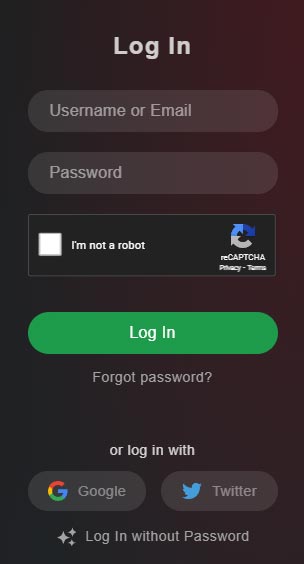
Check that you are entering the intended username or email address, and watch for extra spaces or an old password supplied by your browser. If you originally used a connected account, use the corresponding login method that is currently offered. The screenshot shows an older form; available buttons can change.
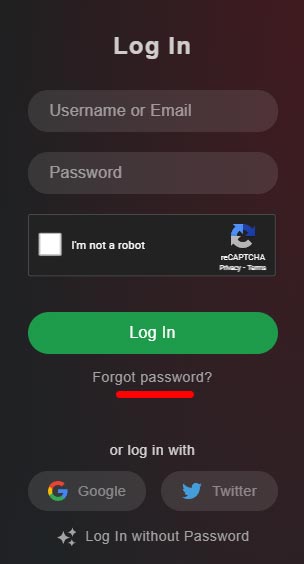
Use Forgot password on the official site to request recovery. Stripchat's user FAQ explains that a recovery link is sent to the registered email address. Check that mailbox and its spam folder, then follow the reset instructions. Keep the recovery link private.
If you no longer have access to the mailbox, or the page says the account is disabled, contact support with the exact message. A password reset may not resolve an account restriction. For a fuller explanation of the forms, see our login guide.
Video Not Loading, Buffering or No Sound
Try another live room. A problem affecting only one room may involve that broadcast; a problem across several rooms is a reason to check your device and connection. Close unnecessary downloads or other bandwidth-heavy activity, reload the page, and compare playback in an updated browser.
For missing audio, check the player's mute control, the browser tab's sound setting and your device volume. Confirm that audio is going to the intended speakers or headphones. Stripchat's sound guidance also notes that the broadcaster may be experiencing an audio problem.
The official technical guide links to a connection test. Compare your results with its current requirements if playback remains unstable. If a feature uses your camera or microphone, check that the devices work and that your browser has permission to use them.
If a paid private session has a technical problem, the official instructions say to leave the session immediately and describe the problem in a comment. Record the time and contact support rather than continuing a session you cannot use.
Problems on Android or iPhone
Stripchat's user FAQ describes mobile browser access. If an app or shortcut fails, compare it with the official website in your phone's browser. Update the browser, close and reopen it, and test whether the issue affects one room or the entire site.
If playback works on Wi-Fi but not mobile data, or the reverse, record that difference for support. When clearing site data, keep your recovery details available. Do not install a modified APK that promises to repair playback or add free tokens. Our Android guide covers the existing app instructions, while the safety and privacy guide explains download and account precautions.
Payment Declined or Tokens Missing
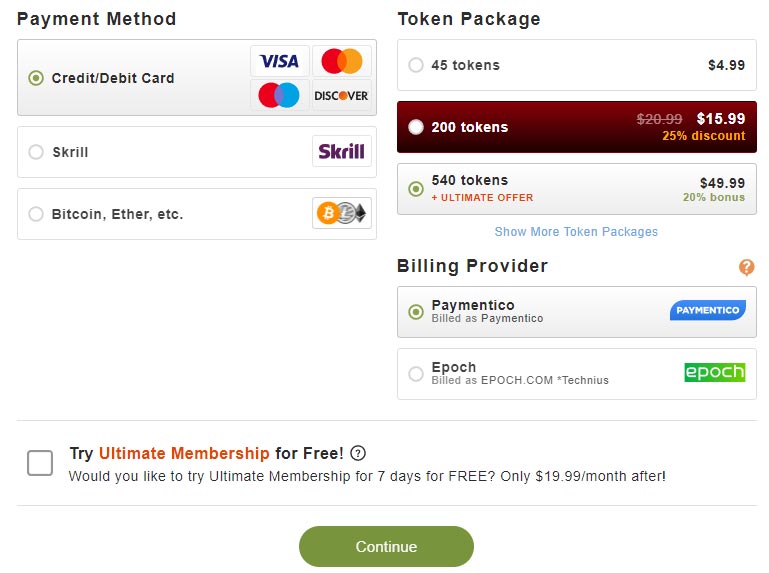
Read the payment error and check the status of the attempted transaction before trying again. Stripchat's billing FAQ explains that an issuing bank may restrict international transactions or unusually frequent payments. Ask your bank about a decline, or use another payment method offered in checkout once you have established that the original purchase did not complete.
If a completed purchase has not credited tokens, confirm that you are signed in to the account used for the purchase. The same FAQ notes that processing can be delayed, particularly for cryptocurrency, and advises against buying again to resolve a missing balance. Save the receipt and transaction reference, and contact support if the issue persists.
The screenshot is an example of an older checkout, not a live price list. For a charge you do not recognize, compare the provider name, date and amount with your receipts. The official Billing Support page lists provider contacts. Never include a complete card number, card security code or banking password in a support message.
Refunds and Problems with Paid Sessions
Distinguish a purchase problem from a dispute about tokens already spent. Stripchat's Tokens Refund Policy sets a 48-hour deadline for complaints about disputed events and excludes technical issues on the user's side. It also sets separate conditions for private shows, tips and paid content. Submitting a request does not guarantee a refund.
For a disputed session, record its time, the room or model name, the token amount and what failed. Explain any agreement made before the session and attach relevant evidence. For a token purchase refund, ask support which purchase policy and payment-method conditions apply; do not assume that the rules for a disputed show are the same.
What to Include in a Support Request
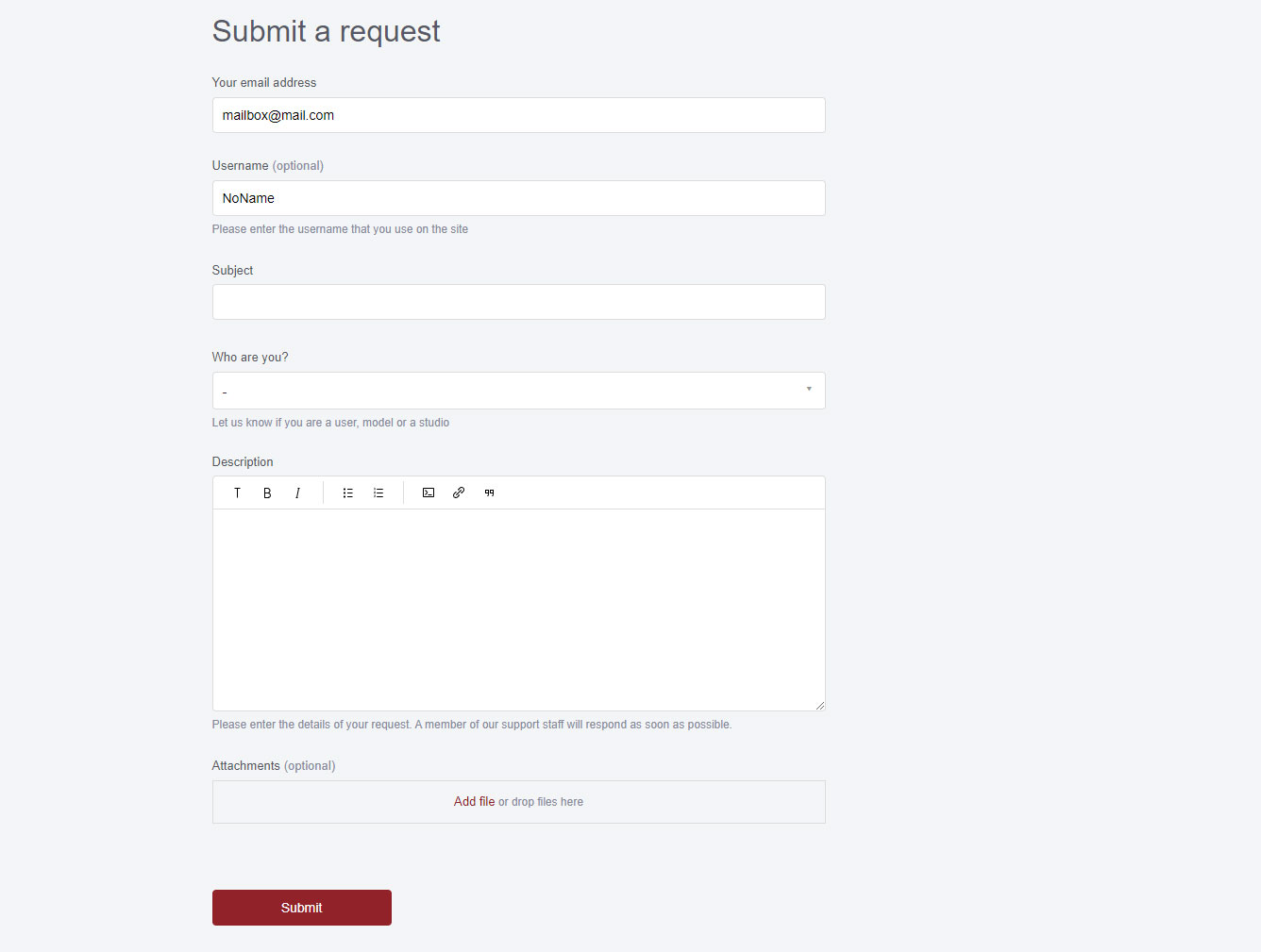
Open official Stripchat support and provide a description that someone else can follow. Include your username, device and browser, the time and time zone, the exact error, and the steps you already tried. For playback problems, identify the room and whether other rooms work. For payments, include the transaction reference and amount.
Attach a screenshot if it explains the failure, with passwords, reset links and unrelated personal or financial details hidden. Keep follow-up information with the same request so the context is easy to review. Our support guide provides an overview of contact options.
Frequently Asked Questions
Is Stripchat down or is the problem on my device?
Compare another browser and another device, and note whether they share a connection. Those checks help narrow the issue, but they do not establish a global outage. Look for information through official support channels.
Should I purchase again if tokens have not arrived?
No. Check the original purchase and contact support with its reference rather than making another purchase to fix the balance.
Will reinstalling an app fix a login problem?
It may not. First test the official website in a browser and check your credentials. An account restriction or inaccessible recovery mailbox needs a different solution.
Can support guarantee a refund for a failed stream?
A refund depends on the applicable policy and the cause of the issue. Report the problem promptly with evidence and read the current rules before assuming the session qualifies.
Related Guides
Read about account safety and payment privacy, logging in, using tokens and contacting support. Follow the linked official guidance for current requirements and policies.